Best Canva Fonts for Logos
The biggest mistake people make with DIY branding isn’t a bad color palette or a messy icon. The mistake is choosing a font just because it looks nice not because of how it actually works . We’ve all done it: you see an elegant, trendy script in the Canva sidebar, apply it to your logo, and think you’re done. Then you try reading it on a small Instagram profile picture or a shipping label, and it’s really hard to read.
When you’re building a brand from scratch, your typography has to do a lot of things. The font you choose sets the tone for your business before people even read what you have written. A bakery needs a completely different energy than a tech startup or a coaching business.Instead of scrolling through hundreds of fonts and hoping for the best, this guide will give you a clear plan to find the exact style that matches your business. If you want to explore more Canva typography ideas, these guides can also help:
- Best Serif Fonts on Canva
- Best Canva Font Pairings
- Best Sans Serif Fonts on Canva
- Best Cursive Fonts on Canva (2026): Elegant Script Fonts for Logos, Weddings, and Social Media
- Best Aesthetic Canva Fonts (2026): Stylish Fonts for Beautiful Designs, Branding, and Social Media
Quick Answer:
| Brand Style | Best Canva Fonts | Availability | Best For |
| Modern | Montserrat, Poppins | Free | Agencies, Startups |
| Luxury | Playfair Display, Cinzel | Free / Varies | Jewelry, Beauty |
| Bold | Anton, League Spartan | Free | Gym, Sports |
| Feminine | Parisienne, Great Vibes | Free / Varies | Boutique, Handmade |
| Minimal | Raleway, Open Sans | Free | Personal Brands |
| Premium Unique | Uploaded Custom Fonts | Paid (Canva Pro) | Established Brands |
NOTE:Font availability may change based on Canva updates, account type, region, or subscription plan. Always check inside your Canva editor.
Why Fonts Matter in Logo Design
A logo font does more than show your business name. It shapes first impressions and affects trust.
- A bold font can feel strong and confident
- A serif font can feel premium and reliable
- A script font can feel elegant and personal
- A clean sans serif font can feel modern and simple
People often decide how they feel about a brand in seconds. Your font helps create that feeling.
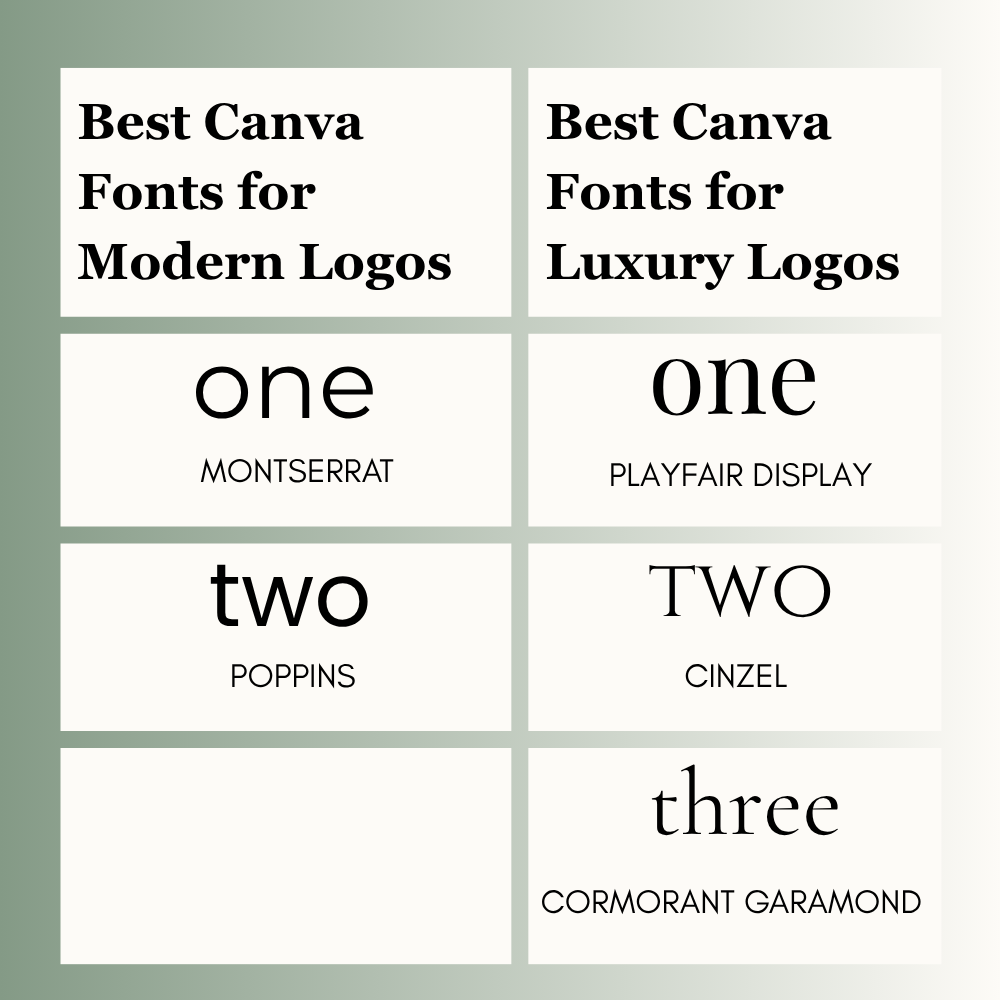
Best Canva Fonts for Modern Logos
Modern fonts work well for startups, agencies, ecommerce stores, and creators.
- Montserrat is clean, balanced, and professional.
- Poppins feels fresh, friendly, and modern.
- Both fonts stay readable on websites and social media.
- Great for brands that want a smart and current look.
Best Canva Fonts for Luxury Logos
Luxury fonts are ideal for salons, boutiques, jewelry brands, and beauty businesses.
- Playfair Display looks elegant and refined.
- Cinzel feels premium and timeless.
- Cormorant Garamond adds a classy editorial style.
- Best for brands that sell quality, beauty, or exclusivity.
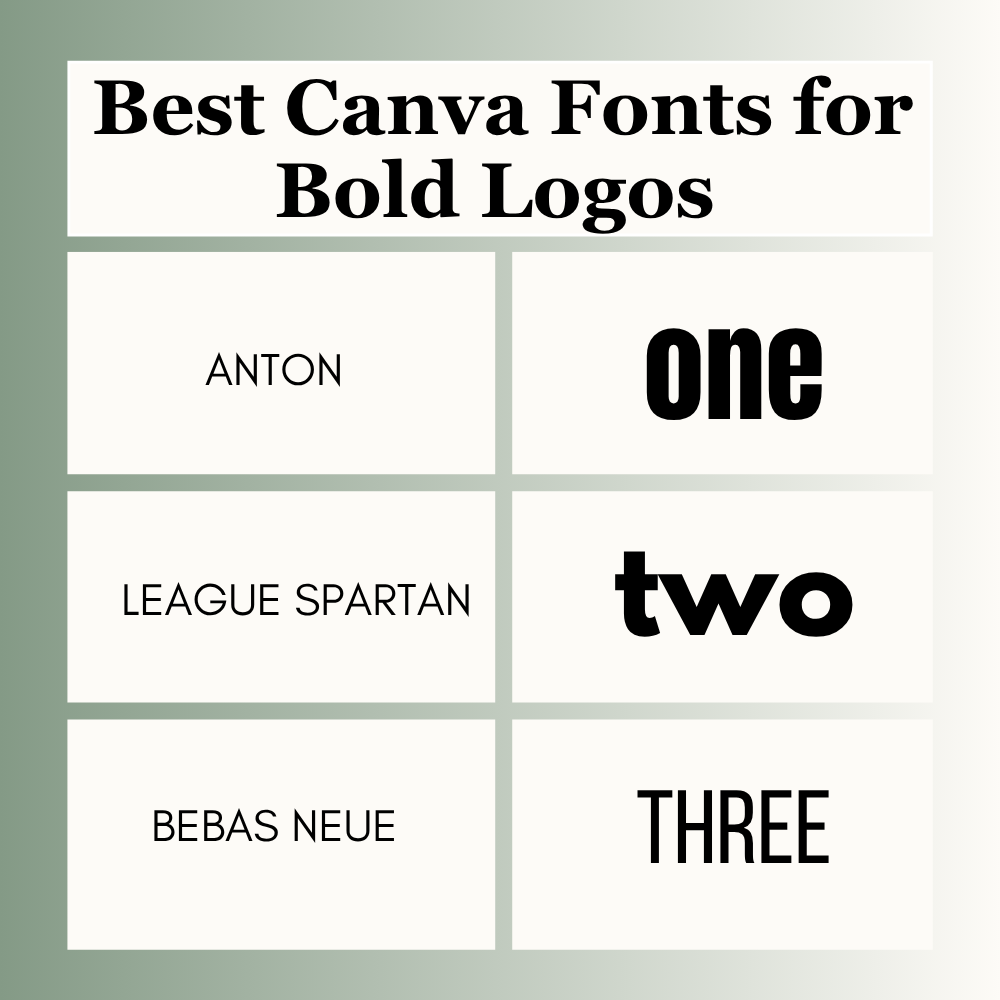
Best Canva Fonts for Bold Logos
Bold fonts are useful for gyms, sports brands, clothing labels, and strong personal brands.
- Anton is powerful and eye-catching.
- League Spartan looks strong and modern.
- Bebas Neue has a clean bold style.
- Great for brands that want energy and confidence.
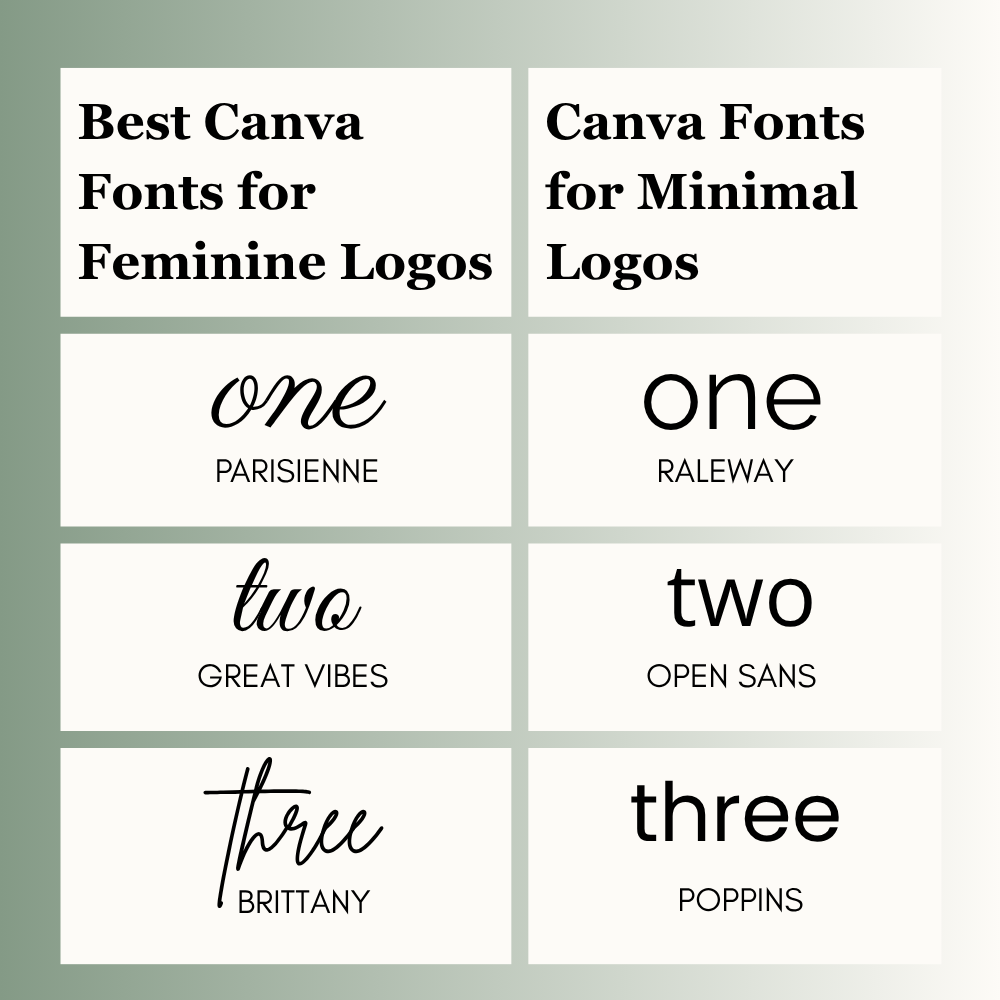
Best Canva Fonts for Feminine Logos
These fonts suit planners, handmade shops, boutiques, and beauty pages.
- Parisienne feels soft and stylish.
- Great Vibes looks elegant and graceful.
- Brittany adds a personal handmade feel.
- Best for brands that want warmth and beauty.
Best Canva Fonts for Minimal Logos
Minimal logos need fonts that stay clear in every size.
- Raleway looks simple and elegant.
- Open Sans is clean and highly readable.
- Poppins also works well for minimal brands.
- Best for coaches, consultants, and modern personal brands.
Best Canva Fonts by Business Type
Different businesses need different logo styles.
- Bakery: Playfair Display
- Gym: Anton
- Jewelry Brand: Cinzel
- Marketing Agency: Montserrat
- Kids Store: Fredoka
- Clothing Brand: League Spartan
- Beauty Brand: Cormorant Garamond
- Handmade Shop: Parisienne
- Etsy Shop: Poppins
- Coaching Brand: Raleway
What Your Logo Font Says About Your Brand
Fonts create emotion. Choose one that matches your business identity.
- Serif fonts = Trusted and premium
- Sans serif fonts = Clean and modern
- Script fonts = Elegant and creative
- Bold fonts = Strong and confident
- Rounded fonts = Friendly and fun
A small font choice can change how customers see your brand.
Best Canva Font Pairings for Logos
Using two fonts can improve your logo when done correctly.
- Playfair Display + Montserrat
- Cinzel + Open Sans
- Anton + Raleway
- Parisienne + Lato
- League Spartan + Poppins
Use one font for the business name and another for the tagline if needed.
How to Choose the Right Canva Font for Your Logo
Follow these simple steps:
- Know your business style
- Choose only 2 to 3 fonts
- Check readability
- Test on mobile and desktop
- Keep the design simple
- Match the font with your audience
- Use bold text if needed
Simple logos often perform better than over-designed ones.
Test Your Logo Before Finalizing
Before downloading your logo, test it in real places.
- Instagram profile image
- Mobile screen
- Website header
- Business card
- Product label
- Black and white version
- Small print size
If the logo becomes hard to read, adjust the font or spacing.
Need a Unique Logo?
If Canva fonts feel too common for your brand, Canva Pro allows custom font uploads. This can help create a more unique identity.
This is useful for agencies, established businesses, and premium brands. If you’re comparing Canva’s free and paid features before choosing a logo workflow, our Canva Free vs Pro guide explains what you actually get with each plan.
Common Logo Font Mistakes to Avoid
Many beginners make these mistakes:
- Using too many fonts
- Picking hard-to-read script fonts
- Choosing trends only
- Ignoring mobile size
- Using weak spacing
- Copying another brand style
- Choosing a font that does not match the business
Avoiding these mistakes can improve your final logo.
Can You Use Canva Fonts for Business Logos?
Many Canva fonts can be used in designs, depending on Canva’s current license terms and your subscription. Always review Canva’s latest licensing rules before using a logo for commercial purposes.
This matters if you sell products or create logos for clients.
FAQs
Montserrat is one of the best all-around Canva fonts for logos because it is clean and versatile.
Playfair Display, Cinzel, and Cormorant Garamond often look premium.
Poppins, Montserrat, Open Sans, and Anton are great free options.
One font is often enough. Two fonts can work well if they match and stay simple.
Conclusion
Choosing a Canva font for your logo isn’t about picking the most popular name. It’s about finding something clean that matches your business and stays easy to read everywhere.
Here is a quick, realistic conclusion to keep you from getting stuck:
- Match your vibe: A bakery, a clothing shop, and a coaching brand shouldn’t look the same. Pick a style that fits your specific audience.
- Keep it simple: Avoid messy or hyper-trendy text effects. Clean, readable letters always look more professional and stay sharp over time.
- Test it on mobile: Make sure your font doesn’t turn into a blurry mess when shrunk down for an Instagram profile picture or a tiny shipping label.
- Use reliable options: If you don’t know where to start, test out classics like Montserrat, Playfair Display, Poppins, or Anton.
Don’t overthink it. Put these fonts on a layout, check how they look on your phone and pick the one that feels right. A simple choice makes a brand look real.

I’m Faraz, the founder and lead content strategist at The Vistly. With a background in digital marketing, I lead content and design strategy for the site, working alongside a small team of designers to create practical Canva tutorials, font pairings, and design resources for creators, small businesses, and marketers around the world. My goal with The Vistly is to make professional-quality design accessible to anyone, no design degree required.