Canva Review : Honest Expert Review for Beginners, Freelancers & Businesses
Whether you need a fast proposal for a client, a fresh social media post, or a quick invitation, the first recommendation you usually hear is: “Just open Canva.” That advice is incredibly popular because the platform is built to help everyday people create clean layouts without any special skills. However, relying on an easy tool can sometimes limit what you can actually build.
After years of watching students, freelancers, and businesses use different tools, we don’t need to ask what the app is anymore. The real thing we need to figure out is: Is Canva worth your time and money in 2026, or should you use something else? This guide will give you a completely honest answer by breaking down the pros, cons, search engine benefits, and exactly who should be using it.
If you want to explore more Canva guides, these related articles may help:
- How Much Is Canva Pro? (Honest Pricing Guide for 2026)
- Canva vs Adobe Illustrator (2026): Which One Is Better for Beginners, Freelancers & Professionals?
- Best Canva Font Pairings (Free Combinations That Actually Work)
- Digital Product Ideas (2026): Best Things to Sell Online for Beginners and Creators
What Is Canva?
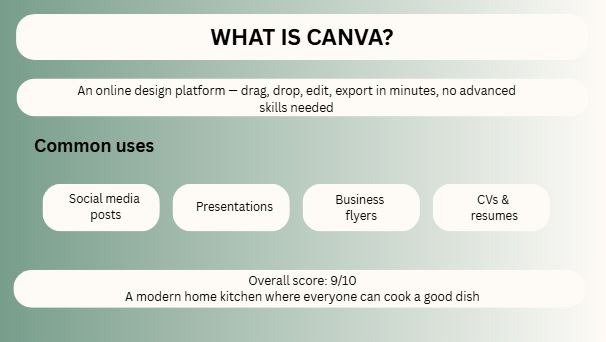
Canva is an online graphic design platform that helps users create visuals without needing advanced design skills. Instead of learning difficult software, you can drag, drop, edit text, swap colors, and export designs in minutes.
People use Canva for:
- Social media posts
- YouTube thumbnails
- Presentations
- CVs and resumes
- Business flyers
- Logos
- Ads creatives
- Blog graphics
- eBooks
- Product mockups
- Videos
- Team brand assets
Master Review Table
| Category | Verdict | Best For | Notes |
| Ease of Use | Excellent | Beginners | Very easy drag-and-drop system |
| Templates | Excellent | Fast creators | Huge ready-made library |
| Pricing | Good | Freelancers | Free version useful, Pro stronger |
| AI Features | Good | Marketers | Speeds up workflow |
| Team Collaboration | Excellent | Agencies | Shared folders and brand kits |
| Social Media Design | Excellent | Businesses | Quick platform-ready sizes |
| Advanced Editing | Average | Designers | Limited vs pro tools |
| Branding | Very Good | Agencies | Strong with Pro plan |
| SEO Content Visuals | Excellent | Bloggers | Great for featured images and pins |
| Value for Money | Very Good | Most users | Strong ROI for active users |
| Overall Score | 9/10 | Most people | Smart choice for speed |
Why Canva Became So Popular
Canva solved a painful problem. Most people need graphics, but they do not want to spend months learning complicated software.
A shop owner in New York needs a Fourth of July sale poster.
A freelancer needs a Fiverr gig image.
A student needs a presentation tonight.
An agency needs 30 posts before Monday.
Canva wins because it saves time.
Speed is one of the biggest business advantages in modern content creation.
Canva Free vs Pro: Which One Is Better?
If you want a more detailed breakdown, check out our guide to Canva Free vs Pro before choosing a plan.
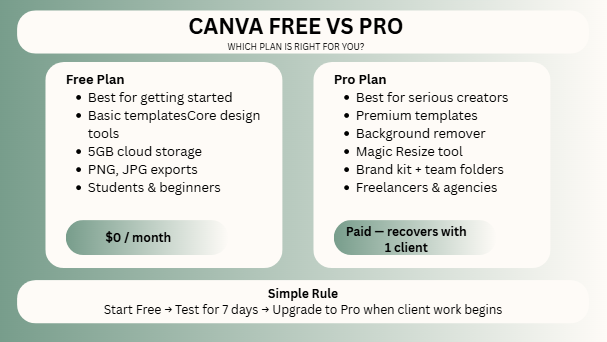
Canva Free
The free version is surprisingly useful. You can create strong designs without paying anything.
Best for:
- Students
- Beginners
- Hobby creators
- Small one-person businesses
- Testing the platform
Canva Pro
Canva Pro becomes powerful when design is part of your income.
You get more templates, premium elements, background remover, resize tools, brand kit, advanced storage, and stronger workflow features.
Best for:
- Freelancers
- Agencies
- Social media managers
- Ecommerce stores
- Content teams
- Serious creators
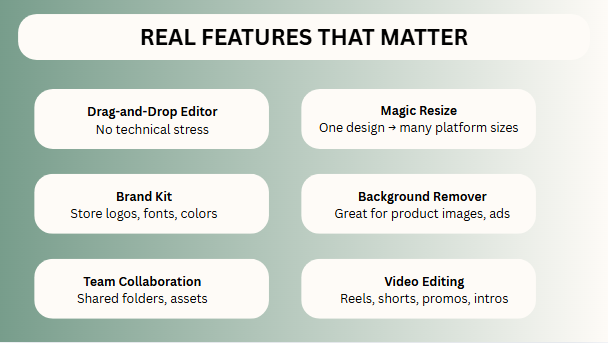
Real Canva Features That Matter
Many reviews only list features. Real users care about useful features.
1. Drag-and-Drop Editor
No technical stress. Move things visually.
2. Massive Template Library
When deadlines are close, templates save the day.
3. Magic Resize
Quickly convert one design into an Instagram post, Story, Pinterest Pin, and Facebook cover.
4. Brand Kit
Store your logo, fonts, colors, and keep client branding consistent.
5. Background Remover
Very useful for product images, thumbnails, ecommerce, and ads.
6. Team Collaboration
Your team can work faster with shared folders and assets.
7. Video Editing
Simple reels, shorts, promos, intros can be created inside Canva.
8. AI Tools
Text suggestions, image generation, quick edits, writing support.
Canva for Freelancers
If you sell services on Fiverr, Upwork, or direct clients, Canva can become a daily tool.
Use it for:
- Client social posts
- Proposal covers
- Lead magnets
- Ad creatives
- YouTube thumbnails
- Blog graphics
- PDF guides
- Portfolio visuals
A freelancer who delivers fast often earns more than a talented person who delivers late.
Canva helps with delivery speed.
Canva for Agencies
Agency owners need systems, not random work.
Canva helps agencies build repeatable workflows:
- Save templates for each client
- Reuse brand styles
- Let team members edit safely
- Keep folders organized
- Approve creatives faster
- Reduce design turnaround time
Canva for SEO and Blogging
Many people ignore this angle.
Canva helps SEO projects through visuals:
- Featured images
- Pinterest graphics
- Comparison charts
- Infographics
- Downloadable lead magnets
- Social shares for blog promotion
Good visuals improve engagement, sharing, and user experience.
Even when text ranks, design improves trust.
Canva AI Tools Review
AI tools inside Canva are useful, but not magic.
They help with:
- Quick captions
- Headline ideas
- Design suggestions
- Basic image generation
- Fast edits
- Background cleanup
For speed: useful.
For deep strategy: still use human thinking.
Best approach = AI for first draft, human for final polish.
Canva Pros
- Beginner friendly
- Fast results
- Huge template collection
- Strong free version
- Excellent for social media
- Great for agencies
- Useful AI tools
- Strong collaboration system
- Works in browser and app
- Saves time daily
Canva Cons
- Advanced editing still limited
- Some templates feel overused
- Unique branding needs effort
- Heavy projects can feel slower
- Internet dependency matters
- Serious designers may outgrow it
- Premium assets locked behind Pro
Is Canva Good for Beginners?
Yes, one of the best options available.
Instead of learning complex tools first, beginners can focus on:
- Layout basics
- Colors
- Typography
- Branding consistency
- Content creation speed
Confidence builds faster when the tool is easy.
Is Canva Good for Businesses?
Yes, especially small and medium businesses.
Useful for:
- Promotions
- Seasonal offers
- Menus
- Flyers
- Social media
- Hiring posts
- Product launches
- Presentation decks
For many businesses, hiring a designer for every small task is expensive. Canva reduces dependency.
Canva Alternatives Worth Considering
If Canva is not perfect for your needs, consider:
- Adobe Express – Better for Adobe ecosystem users
- Figma – Better for UI/UX design
- Adobe Photoshop – Better for advanced editing
- VistaCreate – Similar quick design option
Each tool has a different strength.
Is Canva Worth It in 2026?
Yes, if you need:
- Fast designs
- Easy workflow
- Client delivery speed
- Team collaboration
- Social media assets
- Business visuals
- Content scale
Maybe not, if you need:
- Deep photo manipulation
- Complex illustrations
- Enterprise creative pipelines
- Advanced UI systems
Quick Buying Advice
Choose Free If:
- You are testing
- You are learning
- You only need basic designs
Choose Pro If:
- You earn from content
- You handle clients
- You run an agency
- You need speed and branding
- You create daily visuals
FAQs
Yes, Canva offers a free plan with many useful features.
For active creators, freelancers, and agencies, usually yes.
For many casual users, yes. For advanced professionals, not fully.
Yes. It helps with blog visuals, infographics, and engagement assets.
Yes, collaboration is one of its strongest features.
Final Word
After looking at so many real-world examples, we can see that Canva is still one of the smartest tools for regular users, freelancers, and businesses. It might not be the most advanced software out there, but it is definitely one of the most practical. That difference is a big deal! A tool you actually use every single day is much more valuable than a super powerful program that just sits there collecting dust.
If you are still wondering Is Canva worth your time and money, here is exactly what you should do next:
- Start out with the completely free plan.
- Use it every day for a full week.
- Test out the templates and see how fast you can work.
- If your client projects start growing, upgrade to the Pro plan.
- Build your own reusable design systems.
Canva is not famous by accident. It is popular because it solves real problems incredibly fast!

I’m Faraz, the founder and lead content strategist at The Vistly. With a background in digital marketing, I lead content and design strategy for the site, working alongside a small team of designers to create practical Canva tutorials, font pairings, and design resources for creators, small businesses, and marketers around the world. My goal with The Vistly is to make professional-quality design accessible to anyone, no design degree required.