
Canva for Educators Free (2026): Full Guide for Teachers, Schools, and Students
Many teachers spend their own money on classroom materials, worksheets, slideshow tools, and design apps.
That gets expensive fast! The good news is that Canva offers a special program made just for schools and teachers. For the right users, it can unlock premium-level tools and classroom features without costing a single penny.
But many people still ask: Is Canva for Education free for real? Who qualifies for it? How do you apply? What cool features do you actually get, and is it better than the regular version This guide skips the confusing talk and gives you a clear, practical answer.
If you’re exploring Canva for classroom projects, teaching materials, or student work, these related guides can help you make the most of Canva’s design features:
- Best Canva Fonts for Teachers (Free & Paid Picks That Actually Work)
- How to Add Links in Canva (Fast & Easy Guide for 2026)
- Best Handwriting Fonts in Canva
- How to Change Page Orientation in Canva (Fast & Easy Guide for 2026)
- How to Outline Text in Canva
What Is Canva for Educators?
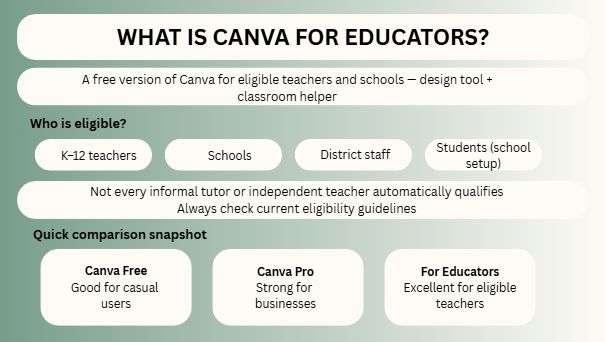
Canva for Educators (also known as Canva for Education) is a version of Canva built for teaching and learning environments.
It is designed to help educators create better classroom content, save time, collaborate with students, and manage learning visuals more easily.
Instead of using multiple tools for slides, posters, worksheets, certificates, and classroom activities, teachers can do much of it in one place.
Is Canva for Educators Free?
Yes, for eligible educators and supported educational institutions, Canva for Education is available free.
That is why many teachers search for it.
Instead of paying monthly for premium design features, qualified users may receive access through the education program.
However, eligibility rules matter, and they can vary by role or institution type.
Always check the latest official requirements before relying on it.
Master Comparison Table
| Category | Canva Free | Canva Pro | Canva for Educators |
| Cost | Free | Paid | Free for eligible users |
| Templates | Basic access | Expanded access | Strong access for education users |
| Premium Tools | Limited | Yes | Often included for eligible users |
| Classroom Collaboration | Basic | Moderate | Strong focus |
| Student Use | Limited | General use | Education-focused |
| Assignments & Teams | Basic | Better | Strong classroom utility |
| Teacher Workflow | Basic | Good | Best fit for educators |
| Brand/Visual Tools | Limited | Strong | Strong |
| Best For | Casual users | Businesses/creators | Teachers & schools |
| Overall Value | Good | Strong | Excellent for eligible educators |
Who Is Eligible?
Eligibility usually depends on being an active educator or approved educational institution under Canva’s published rules.
Common examples often include:
- K–12 teachers
- Schools
- District staff
- Students through school setups
- Certain education organizations
Some users may need verification.
Not every person who teaches informally or tutors independently will automatically qualify.
That is why checking current guidelines matters.
How to Apply for Canva for Educators
The process is usually simple.
Basic Steps
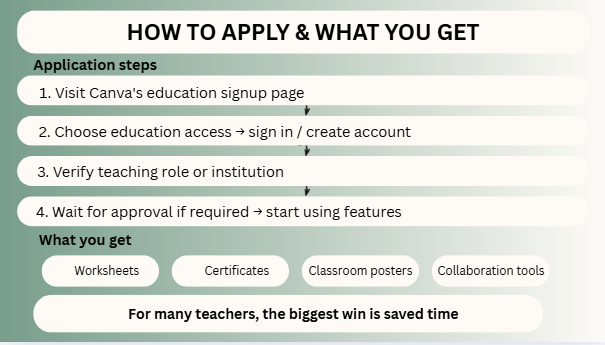
- Visit Canva’s education signup page
- Choose education access option
- Sign in or create account
- Verify your teaching role or institution
- Wait for approval if required
- Start using education features
Some users are approved quickly. Others may need extra verification.
How Verification Usually Works
Canva may ask for proof that you are part of an eligible institution.
Common examples may include:
- School email address
- Staff profile
- Teaching documentation
- Institutional details
If approval takes time, stay patient and follow official instructions.
What Features Do You Get?
This is where the real value appears.
Canva for Educators can help teachers create, organize, and deliver content faster.
Common Benefits
- Presentation templates
- Worksheets
- Classroom posters
- Certificates
- Lesson visuals
- Video content
- Collaboration tools
- Shared classrooms or teams
- Premium design elements
- Educational templates
- Whiteboards
- Content organization tools
For many teachers, the biggest win is saved time.
Best Ways Teachers Use Canva
Lesson Slides
Create clean visual lessons faster than starting from blank slides.
Worksheets
Build printable or digital activities.
Classroom Posters
Rules, schedules, reminders, learning charts.
Certificates
Reward students professionally.
Parent Communication
Newsletters, updates, event notices.
Visual Explanations
Turn hard topics into simple graphics.
A strong visual can explain what five paragraphs fail to explain.
Best Ways Students Use Canva
Students can also benefit when schools use Canva for Education.
Student Use Cases
- Group projects
- Presentations
- Portfolios
- Posters
- Timelines
- Visual reports
- Creative assignments
This can improve engagement and creativity.
Canva for Educators vs Canva Pro
Many people ask which one is better.
The answer depends on who you are.
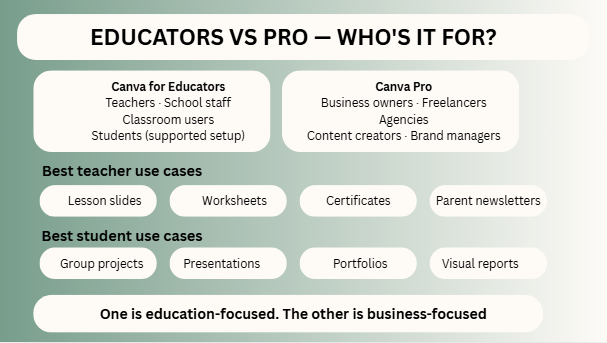
Choose Canva for Educators If You Are:
- Teacher
- School staff
- Classroom user
- Student in supported setup
Choose Canva Pro If You Are:
- Business owner
- Freelancer
- Agency
- Content creator
- Brand manager
If you’re still deciding between Canva Free and Canva Pro, you can compare their features and limitations in our full Canva Free vs Pro guide.
One is education-focused. The other is business-focused.
Why Teachers Love It
Teachers often have limited time and many responsibilities.
A tool that reduces workload matters.
Canva helps by making it easier to:
- Reuse templates
- Create faster visuals
- Improve classroom presentation
- Organize design files
- Collaborate more easily
- Make learning more engaging
Technology is most useful when it removes friction.
Common Problems and Fixes
Not Approved Yet
Double-check your eligibility and documents.
No School Email
Use alternative proof if accepted by policy.
Confused Between Plans
Education plan is different from standard business plans.
Too Many Features
Start with one use case first: lesson slides or worksheets.
If You Are Not Eligible
Do not worry.
Regular Canva Free still offers useful value, and Canva Pro may suit freelancers, businesses, tutors, or creators better.
The right tool depends on your real use case.
Real-World Example
A school teacher needs:
- Monday lesson slides
- Tuesday worksheet
- Friday certificate
- Parent meeting flyer
Instead of using four tools, one platform can handle all of them.
That is practical value.
FAQs
Yes, for eligible users under Canva’s education program.
Often yes through supported classroom or school setups.
For educators, it can offer much more value.
Sometimes it helps, but verification methods can vary.
It depends on current eligibility rules.
Expert Final Verdict
When you look at the final facts, having Canva for Education free for right users is a major advantage. It is not just about saving money—it is about saving time, making beautiful slideshows, and keeping your classroom organized. The best tools for teachers are not the most complicated ones on the internet. They are simply the ones you can actually use every single week without any stress.
If I were in your place, here are the steps I would take:
- Check your school eligibility first.
- Apply on the website with your proper school details.
- Start simple by making your weekly lesson slides.
- Build reusable templates so you don’t have to start from scratch.
- Add fun worksheets and student certificates.
- Use the student collaboration features to work together.
- Save yourself valuable hours every single week.

I’m Faraz, the founder and lead content strategist at The Vistly. With a background in digital marketing, I lead content and design strategy for the site, working alongside a small team of designers to create practical Canva tutorials, font pairings, and design resources for creators, small businesses, and marketers around the world. My goal with The Vistly is to make professional-quality design accessible to anyone, no design degree required.