
Vintage Fonts on Canva (Best Free & Paid Picks for Timeless Designs)
Finding the perfect vintage font in Canva can be a headache. You want your logo, menu, or Etsy banner to look classic and beautiful. But often, the fonts you try look messy, old, or hard to read. A bad font can make a great product look cheap.
Good branding needs the right touch. A clean serif font makes your packaging look expensive. A bold retro font makes your posters stand out. After designing many menus, invitations, and social media posts, I know what works. This guide will show you the best, easy-to-read vintage fonts in Canva so you can save time and look professional.
Quick Answer
The best vintage fonts on Canva are Hatton, Limelight, Della Respira, Cinzel Decorative, Marcellus, Brixton Sans, Genty, and Bogart Black. These fonts work well for logos, café branding, posters, invitations, packaging, Etsy covers, and classic-style designs.
If you’re exploring different Canva font styles, these related guides can help you find the right look for your branding, social posts, and creative projects:
- Retro Fonts on Canva (Best Free & Paid Picks for Vintage Designs)
- 90s Fonts on Canva (Best Free & Paid Picks for Nostalgic Designs)
- Best Serif Fonts on Canva
- Best Canva Font Pairings (Free Combinations That Actually Work)
- Best Canva Fonts for Logos
What Makes a Font Vintage?
A strong vintage font should:
- Feel classic and timeless
- Stay easy to read
- Match the design theme
- Add character
- Help text stand out
- Work well for branding and headlines
If a font looks messy or unreadable, it loses value quickly.
Best Vintage Fonts on Canva
| Font Name | Best For | Style | Availability |
| Hatton | Logos, Branding | Premium Vintage | Free |
| Limelight | Posters, Invitations | Elegant Vintage | Free |
| Della Respira | Cards, Invitations | Classic Serif | Free |
| Cinzel Decorative | Packaging, Headlines | Decorative Classic | Free |
| Marcellus | Premium Branding | Clean Classic | Free |
| Brixton Sans | Labels, Packaging | Rustic Sans Serif | Free |
| Genty | Social Graphics | Vintage Display | Free |
| Bogart Black | Café Brands, Logos | Bold Vintage | Free |
| Premium Canva Fonts | Extra Styles | Varies | Canva Pro / Paid |
NOTE:Some font availability may depend on your Canva plan, region, account type, or updates inside the Canva editor.
Best Fonts by Use Case
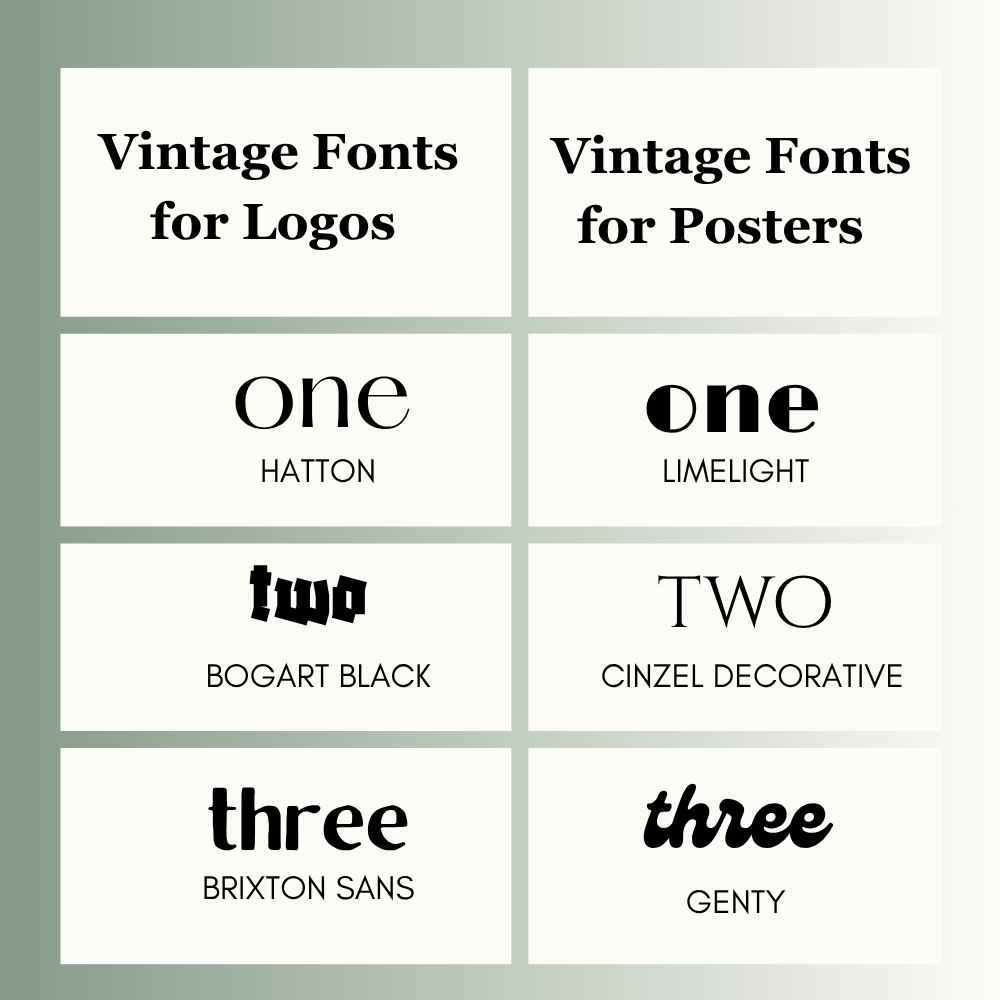
Vintage Fonts for Logos
- Hatton
- Bogart Black
- Brixton Sans
Vintage Fonts for Posters
- Limelight
- Cinzel Decorative
- Genty
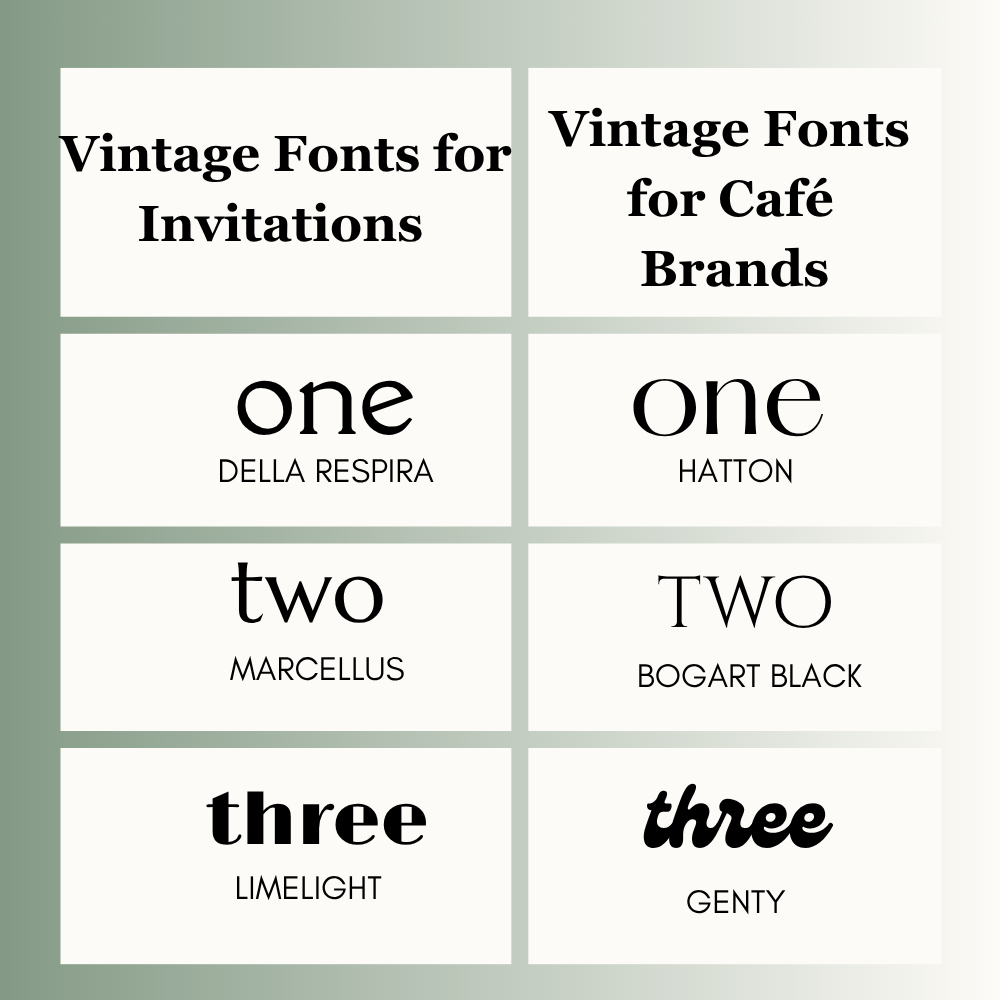
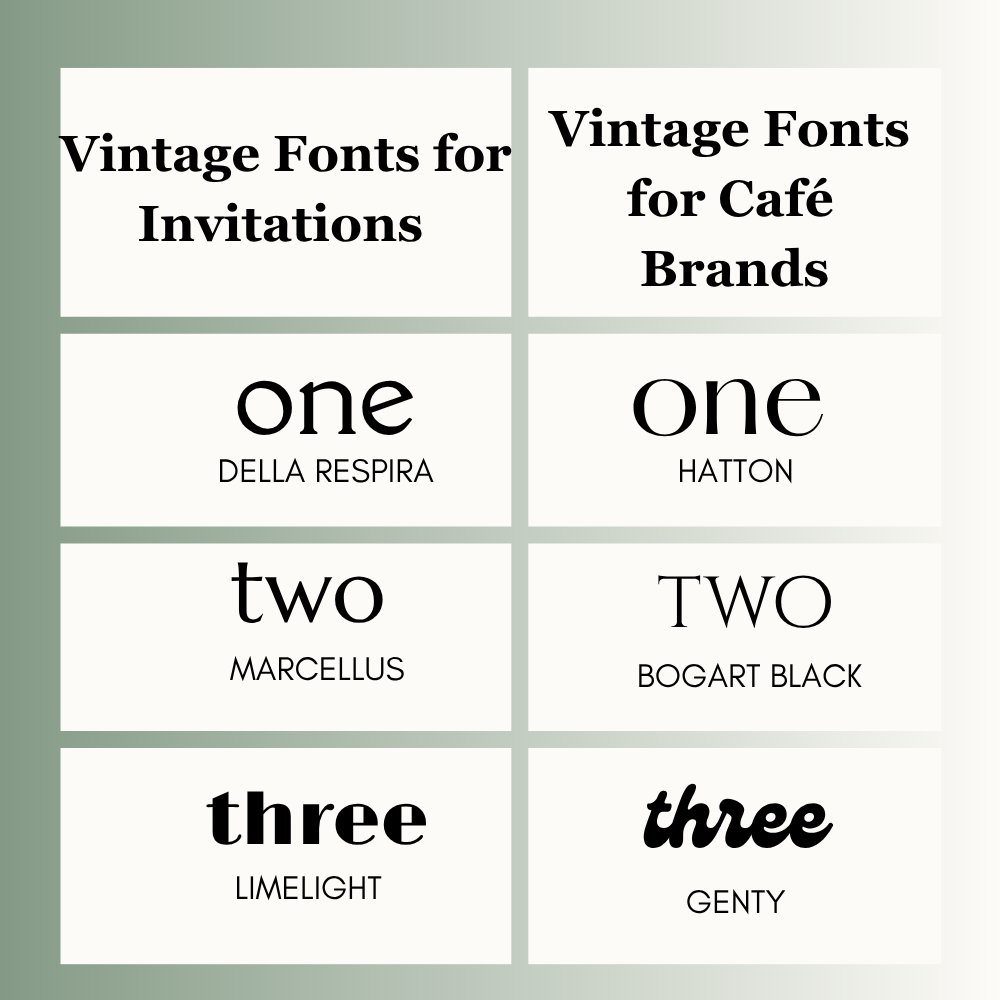
Vintage Fonts for Invitations
- Della Respira
- Marcellus
- Limelight
Vintage Fonts for Café Brands
- Hatton
- Bogart Black
- Genty
Vintage Fonts for Packaging
- Brixton Sans
- Marcellus
- Cinzel Decorative
Vintage Fonts for Etsy Covers
- Genty
- Limelight
- Della Respira
Who Should Use Vintage Canva Fonts?
These fonts are useful for:
- Small businesses
- Cafés and food brands
- Content creators
- Wedding designers
- Etsy sellers
- Bloggers
- Agencies and freelancers
- Personal brands
If your design needs timeless style, character, or a memorable look, these fonts can help.
Free vs Paid Canva Fonts
If you use Canva Free, many vintage fonts like Hatton, Limelight, Della Respira, Cinzel Decorative, Marcellus, and Genty are already available.
If you use Canva Pro, you may unlock more premium font options and extra design features depending on your account.
Best Canva Font Pairings
Use one vintage font with one clean supporting font.
- Hatton + Open Sans
- Limelight + Montserrat
- Della Respira + Lato
- Cinzel Decorative + Roboto
This keeps the design stylish and balanced.
How to Choose the Right Vintage Font
1. Check the Goal
Logo, poster, invitation, packaging, or branding?
2. Know Your Audience
A café audience needs a different style than a wedding audience.
3. Test Readability
Can people read it quickly on mobile and print?
4. Keep It Balanced
Use one standout font and one simple font.
5. Stay Consistent
Use the same style across the design.
Common Mistakes to Avoid
- Using too many decorative fonts
- Choosing hard-to-read styles
- Making text too small
- Ignoring spacing
- Mixing random font moods
- Overloading the design
Frequently Asked Questions
Hatton, Limelight, and Bogart Black are popular choices.
Hatton, Bogart Black, and Brixton Sans work well.
Brixton Sans, Marcellus, and Cinzel Decorative are strong options.
Yes. Many free vintage fonts work very well.
Use two fonts in most designs.
Not always. Free fonts are often enough. Paid fonts may offer more variety.
Final Thoughts
Here is how I pick vintage fonts in Canva based on the project:
- Premium Branding: Hatton (very elegant)
- Posters & Invites: Limelight (stylish and bold)
- Labels & Packaging: Brixton Sans (clean and clear)
- Retro Logos: Bogart Black (strong and nostalgic)
- Classic Cards: Della Respira (timeless charm)
Remember, a good font shouldn’t just look old—it must be easy to read. Keep your design simple, don’t overcrowd the text, and always look at the final preview before sharing or printing.
Expert Tip
A vintage font should feel classic, not outdated. If style hurts readability, choose a cleaner option.

I’m Faraz, the founder and lead content strategist at The Vistly. With a background in digital marketing, I lead content and design strategy for the site, working alongside a small team of designers to create practical Canva tutorials, font pairings, and design resources for creators, small businesses, and marketers around the world. My goal with The Vistly is to make professional-quality design accessible to anyone, no design degree required.