
How to Make Editable PDF for Etsy (2026): Beginner Guide to Sell Digital Products
Many people want to start a digital shop online, but they usually get stuck on one major question: “How do I create a file that buyers can actually change and type into?” That is exactly where fillable forms become super powerful. A good document can turn a basic digital file into a useful product that people are happy to buy over and over again. It helps your customers fill in their own information, personalize their documents, or instantly use your product without needing any artistic skills. This guide explains how to make editable PDFs for Etsy in the smart, beginner-friendly way.
If you’re creating editable PDFs and digital products for Etsy, these related guides can help you design, sell, and promote your products more effectively:
- How to Sell Canva Templates on Etsy (2026): Beginner Guide to Real Income – Learn how to turn Canva templates into products you can sell on Etsy.
- Digital Product Ideas (2026): Best Things to Sell Online for Beginners and Creators – Find more digital product ideas to expand your Etsy shop.
- How to Create Mockups for Etsy (2026): Beginner Guide to More Clicks and Sales Learn how to present your digital products with better listing visuals.
- How to Create Mockups for Etsy (2026): Beginner Guide to More Clicks and Sales – Understand an important licensing consideration before selling Canva-based products.
What Is an Editable PDF?
An editable PDF is a PDF file where the buyer can change or enter information after purchase.
Instead of receiving a static file only for printing, the customer can interact with it.
Examples:
- Type name and details
- Fill planner sections
- Complete forms
- Add dates
- Write budgets
- Personalize worksheets
- Update resume text
Two Important Types of Editable PDF
Many beginners mix these together, but they are different.
1. Fillable PDF
The layout stays fixed. Buyer only types inside selected fields.
Best for:
- Forms
- Applications
- Checklists
- Budget sheets
- Worksheets
- Journals
2. Editable Template PDF
The PDF itself may be a delivery file that links to a fully editable design in tools like Canva.
Best for:
- Invitations
- Resumes
- Social media kits
- Business templates
- Flyers
Knowing the difference helps you sell the right product.
Master Product Table
| Product Type | Best Format | Why It Sells | Good Buyer |
| Budget Planner | Fillable PDF | Easy monthly use | Personal finance users |
| Resume Template | Editable Template | Fast job application edits | Job seekers |
| Wedding Checklist | Fillable PDF | Saves planning time | Couples |
| Business Intake Form | Fillable PDF | Professional workflow | Service businesses |
| Teacher Worksheet | Fillable PDF | Reusable classroom file | Teachers |
| Invitation Template | Editable Template | Personalization demand | Event buyers |
| Social Media Pack | Editable Template | Quick content edits | Businesses |
| Goal Journal | Fillable PDF | Daily use value | Productivity users |
Why Editable PDFs Sell Well on Etsy
People love convenience.
A buyer usually wants something that is:
- Ready now
- Easy to use
- Customizable
- Printable
- Reusable
- Worth the price
If your file saves time and removes effort, it becomes valuable.
You are not selling a PDF.
You are selling convenience.
Best Tools to Make Editable PDFs
You do not need expensive software to start.
Popular Options
- Canva – Great for designing templates
- Adobe Acrobat – Strong for fillable form fields
- Microsoft Word – Basic layout then export
- Google Docs – Simple forms and layouts
For beginners, Canva + PDF workflow is often easiest.
Method 1: Make an Editable Template Using Canva
This method is great for design-based products.
Steps:
- Open Canva
- Choose your template size
- Design your product
- Keep text areas clean and editable
- Save your template link
- Create a PDF instruction file
- Add the Canva access link inside PDF
- Upload the PDF to Etsy
Buyer downloads the PDF, clicks the link, and edits the template.This is popular for invitations, resumes, and social media packs.You can also learn How to Add Links in Canva (Fast & Easy Guide for 2026) when creating the PDF that gives buyers access to their template.
Method 2: Make a Fillable PDF
This method is better when buyers need to type directly inside the PDF.
Steps:
- Design the layout first
- Export as PDF
- Open in Adobe Acrobat or similar tool
- Add text fields
- Add checkboxes if needed
- Test every field
- Save final file
- Upload to Etsy
This works well for planners, forms, and worksheets.
Step 3: Test Buyer Experience
Never upload without testing.
Check:
- Can fields be clicked?
- Is text readable?
- Does it work on desktop?
- Is mobile use acceptable?
- Are instructions clear?
- Is file size manageable?
Many refunds happen because sellers skip testing.
Step 4: Create Strong Etsy Listing Images
A buyer cannot feel the product, so visuals matter.
Use mockups that show:
- Editable fields
- Multiple pages
- Printed version
- Device preview
- What is included
- Easy use steps
Good thumbnails can improve clicks before anyone reads your title.
Step 5: Optimize for Etsy SEO
If nobody finds the listing, nobody buys it.
Use Keywords In:
- Title
- Tags
- Description
- Product type language
Examples:
- editable pdf planner
- fillable budget sheet
- editable resume template
- printable wedding checklist
- digital planner pdf
Use real buyer phrases, not clever words only.
Pricing Strategy
Do not guess blindly.
Beginner Strategy
Price fairly to get first sales and reviews.
Growth Strategy
Increase pricing when product proves demand.
Premium Strategy
Create bundles.
Example:
- One planner = basic price
- Full finance bundle = higher price
- Wedding pack = premium value
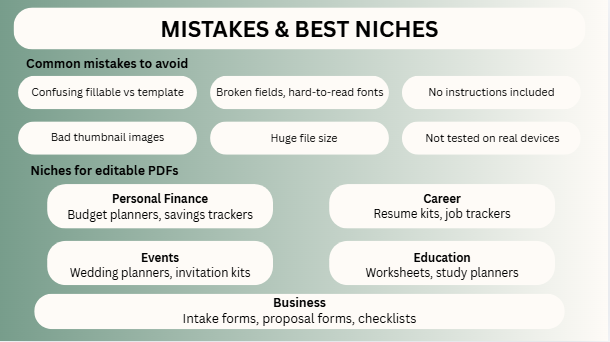
Common Mistakes to Avoid
- Confusing fillable vs editable template
- Broken fields
- Hard-to-read fonts
- No instructions
- Bad thumbnail images
- Wrong niche choice
- Overpriced first product
- Huge file size
- Not tested on real devices
- Uploading one product and quitting
Best Niches for Editable PDFs
Personal Finance
- Budget planners
- Savings trackers
Career
- Resume kits
- Job trackers
Events
- Wedding planners
- Invitation kits
Education
- Worksheets
- Study planners
Business
- Intake forms
- Proposal forms
- Checklists
Specific niches usually perform better than generic products.
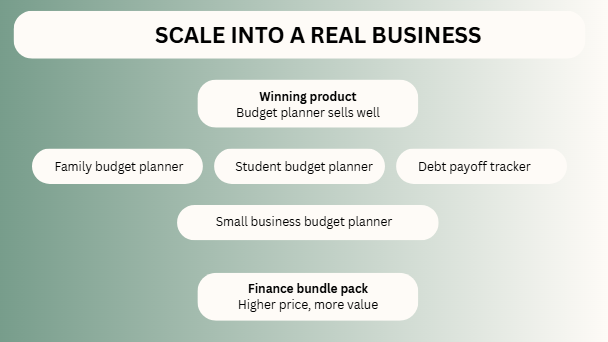
How to Scale This Into a Real Business
One product is a start. A store is a system.
Example:
Winning product = Budget planner
Then expand into:
- Family budget planner
- Student budget planner
- Debt payoff tracker
- Small business budget planner
- Finance bundle pack
This is how digital stores grow.
FAQs
No, but it is one of the easiest tools for beginners.
Depends on buyer need. Utility usually wins.
Possible, but multiple listings increase chances.
Yes, many buyers search there for ready-made solutions.
Often yes. Bundles increase value and order size
Expert Final Verdict
Learning making editable PDFs for Etsy is a great skill because it costs almost nothing to start and people are always looking for these items. You don’t have to worry about storing inventory or shipping heavy boxes. You just need to create something truly useful. The shop owners who win are usually not the fanciest designers—they are the people who make their files easier to use than everyone else’s.
If I were in your place, here are the steps I would take:
- Pick just one specific niche to focus on.
- Create one very useful, high-quality PDF.
- Test it yourself to make sure it works perfectly.
- Make strong, clear pictures for your shop listing.
- Optimize your keywords so people can actually find your store.
- Launch at least 10 different products.
- Turn your winning items into bigger, helpful bundles.
Small, simple digital files can turn into real income when you focus on solving your buyer’s problems!

I’m Faraz, the founder and lead content strategist at The Vistly. With a background in digital marketing, I lead content and design strategy for the site, working alongside a small team of designers to create practical Canva tutorials, font pairings, and design resources for creators, small businesses, and marketers around the world. My goal with The Vistly is to make professional-quality design accessible to anyone, no design degree required.